
Restaurant POS with TSE, table plan and delivery platforms.
The Ordernova POS brings counter, tables, phone, webshop, app and Lieferando, Wolt or Uber Eats into one order intake – with certified TSE, cash book and exports for your tax adviser and the tax office.
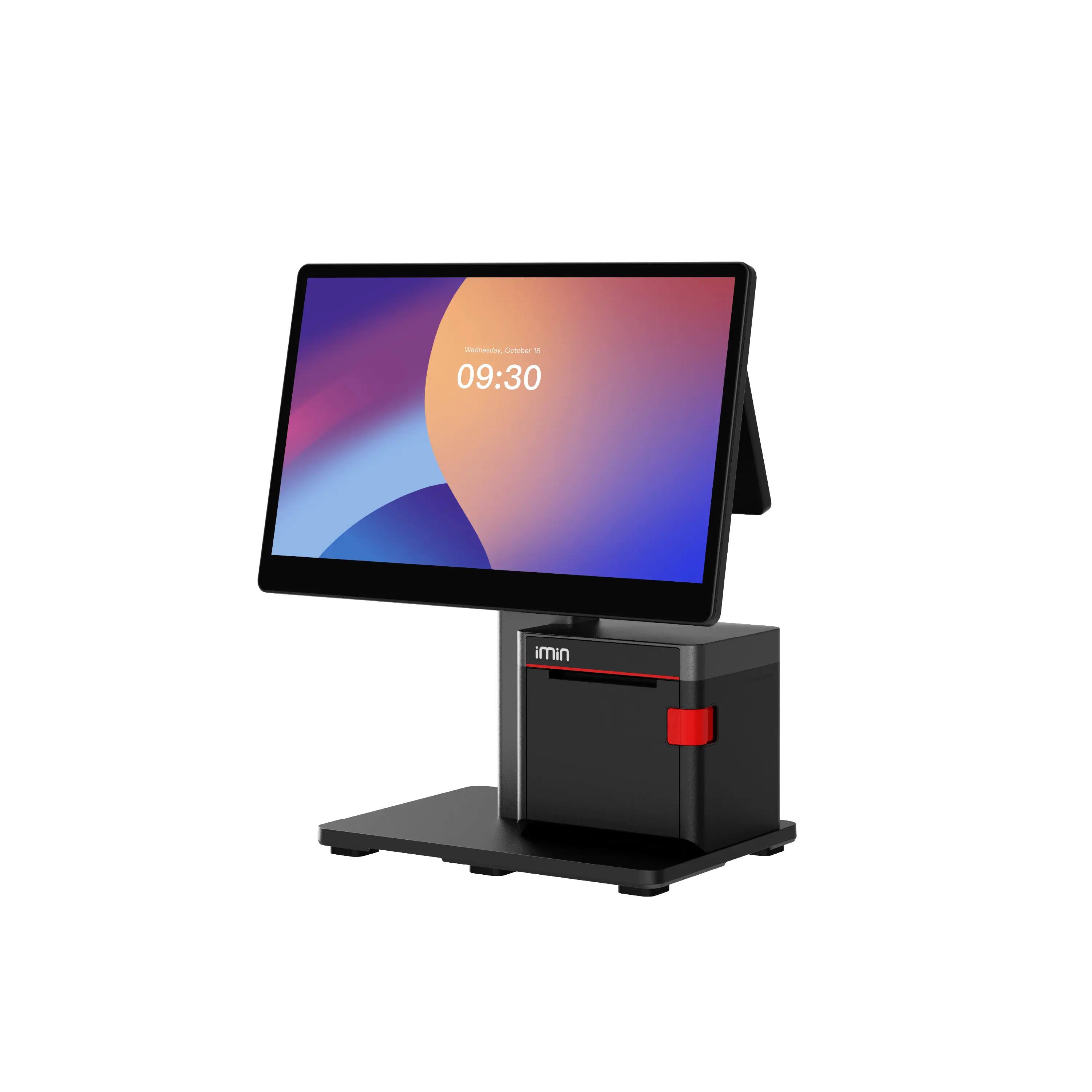

TSE
bookkeeping that meets German requirements
DSFinV-K + DATEV
exports for the tax office and your tax adviser
Works offline
key POS workflows keep running during internet outages
POS
One POS for dine-in, pickup and delivery.
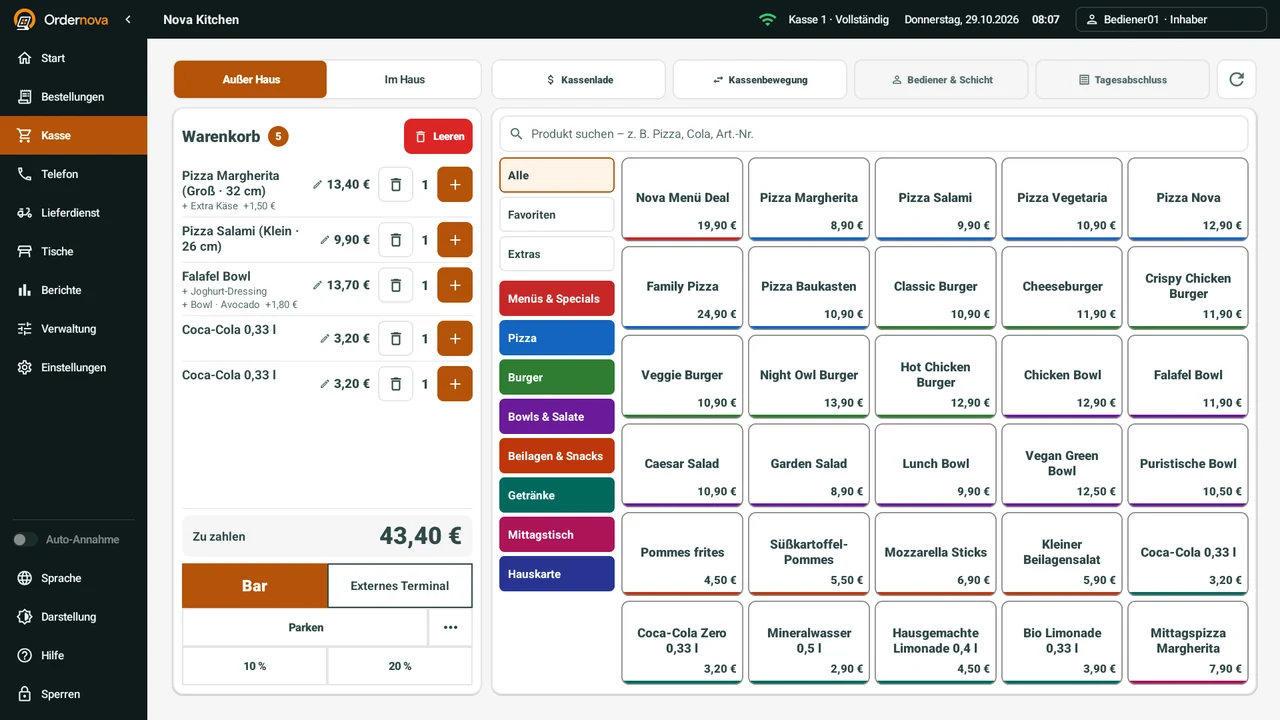
Many restaurants run a POS, a separate online ordering system and several tablets for delivery platforms. With Ordernova, orders from the counter, tables, phone, your webshop, your app and connected delivery platforms arrive in the same POS. Receipts, cash book and daily closing are created in one system.
Every order channel lands in one order intake instead of several tablets.
Every receipt is secured and stored through the TSE.
Cash book, Z report and daily closing are created directly in the POS.
Exports for your tax adviser and the tax office come from the same system.
Features
What the Ordernova POS does in daily restaurant operations.
Counter, tables and phone
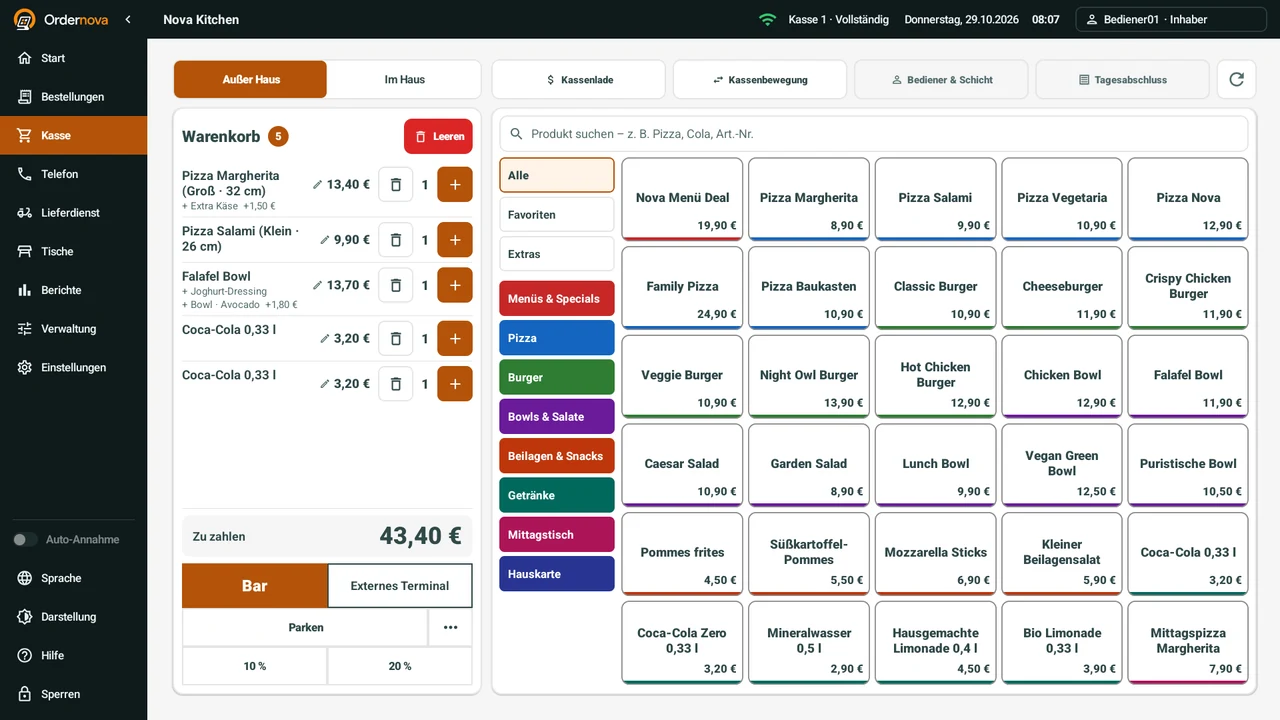
Fast counter sales, a table plan with areas for service and phone orders for pickup and delivery.
TSE, cash book and Z report
Certified TSE, cash book, Z report and daily closing for bookkeeping that meets German requirements.
Delivery platforms and webshop
Orders from your webshop, your app and Lieferando, Wolt and Uber Eats appear directly in the POS once the connection is active.
Exports: DATEV and DSFinV-K
DATEV-format export for your tax adviser and DSFinV-K export for cash register inspections and tax audits by the tax office.
Pay, split, discount
Take cash or card payments, split bills, and record discounts and tips.
Tickets, roles and reports
Tickets for guests and kitchen, hospitality receipts, staff roles and daily reports.
Feature scope
What the Ordernova POS includes.
The table shows which features belong to the POS, which are added as a module and which need activation with the respective provider.
| Area | Feature | Scope |
|---|---|---|
| Sales | Counter sales, table plan with areas and phone orders | Included |
| Sales | Split bills, discounts and tips | Included |
| Payment | Cash payment and card payment via a card terminal | Included |
| Receipts | Receipts for guests and kitchen tickets, hospitality receipts | Included |
| Cash management | Cash book, Z report and daily closing | Included |
| Fiscal | Certified TSE under the cash register security regulation | As a module |
| Fiscal | DSFinV-K export for cash register inspections and tax audits | As a module |
| Bookkeeping | Configurable export in DATEV format | As a module |
| Order channels | Orders from your own webshop and app in the POS | As a module |
| Order channels | Orders from Lieferando, Wolt and Uber Eats in the POS | After activation |
| Operations | Staff roles and daily reports | Included |
| Operations | Several locations in one account | Included |
| Operations | Key POS workflows keep running during internet outages | Included |
Cash management
TSE, KassenSichV and DSFinV-K: what the POS covers.
This describes the feature scope of the POS and is not tax advice. Clarify charts of accounts and individual questions with your tax adviser.
- TSE
- Every receipt is signed and stored through a certified technical security system. The TSE is activated during setup.
- KassenSichV
- The German cash register security regulation requires a certified TSE for electronic cash registers. The Ordernova POS works with such a TSE.
- DSFinV-K
- For cash register inspections and tax audits, Ordernova provides the POS data in the uniform format of the tax authorities.
- DATEV format
- Booking data can be handed to your tax adviser in DATEV format. The export is configured for your restaurant.
- Cash book and Z report
- Cash book, Z report and daily closing are created directly in the POS.
Explore Ordernova for your restaurant.
Tell us a little about your restaurant. We will get in touch and show you the right solution in a free demo.
Onboarding
How the Ordernova POS comes to your restaurant.
Setup starts with how your restaurant actually works.
- 01
Review workflows
Counter, tables, delivery, pickup, payment methods, printers and existing devices are reviewed.
- 02
Set up the POS
Menu, prices, tax rates, TSE, payment methods, table plan and staff roles are configured.
- 03
Connect channels
Webshop, app and the delivery platforms you want are connected to the POS.
- 04
Test live
Before launch, sales, voids, payments, tickets and daily closing are tested together.
POS for restaurants, pizzerias, takeaways and delivery businesses.
Ordernova is for hospitality businesses that need a TSE-compliant POS and want to take orders in-store, by phone, in their own webshop and from delivery platforms in one system.
Checklist
What to look for when choosing a restaurant POS in Germany.
These points help you compare POS systems on facts, whichever provider you choose.
TSE and cash register security regulation
Does the POS work with a certified TSE, and who sets it up?
Exports for the tax office and tax adviser
Is there a DSFinV-K export for audits and a DATEV-format export for bookkeeping?
All order channels in one intake
Do counter, table, phone, your own webshop and delivery platforms arrive in the same POS, or do you need extra tablets?
Behaviour without internet
Which POS workflows keep running during an outage, and what needs a connection?
Hardware
Can you keep using existing terminals, receipt printers and card terminals?
Locations and roles
Can several locations run in one account, with permissions per staff member and location?
Cost structure
Which modules and hardware does the quote include, and is there a revenue commission on direct orders?
Questions
Frequently asked questions about the POS
Which POS suits a restaurant with delivery service?
Which POS suits restaurants with a lot of delivery?
Does the POS have a TSE?
Which exports are available for tax advisers and the tax office?
Does the POS work without internet?
Do Lieferando, Wolt and Uber Eats orders arrive directly in the POS?
Which hardware do I need?
Can I split bills and record tips?
Can a POS manage several locations?
What does the POS cost?
What is a TSE?
What is the DSFinV-K export?
Does the POS print kitchen tickets?
Request a demo
POS, ordering and delivery channels in one clear restaurant system.
Start with POS, your own webshop and app, plus connections for Lieferando, Wolt and Uber Eats.
Ordernova brings orders, payments, delivery channels and important figures together in one clear solution for your restaurant.